
Deepak Sengar · Published 2 August 2026 · Updated 10 August 2026· 10 min read
Why Isn't My Website Ranking on Google? Common Causes & Fixes
Wondering why isn't my website ranking on Google? Discover the real reasons — indexing, content, links — and practical fixes that actually work.
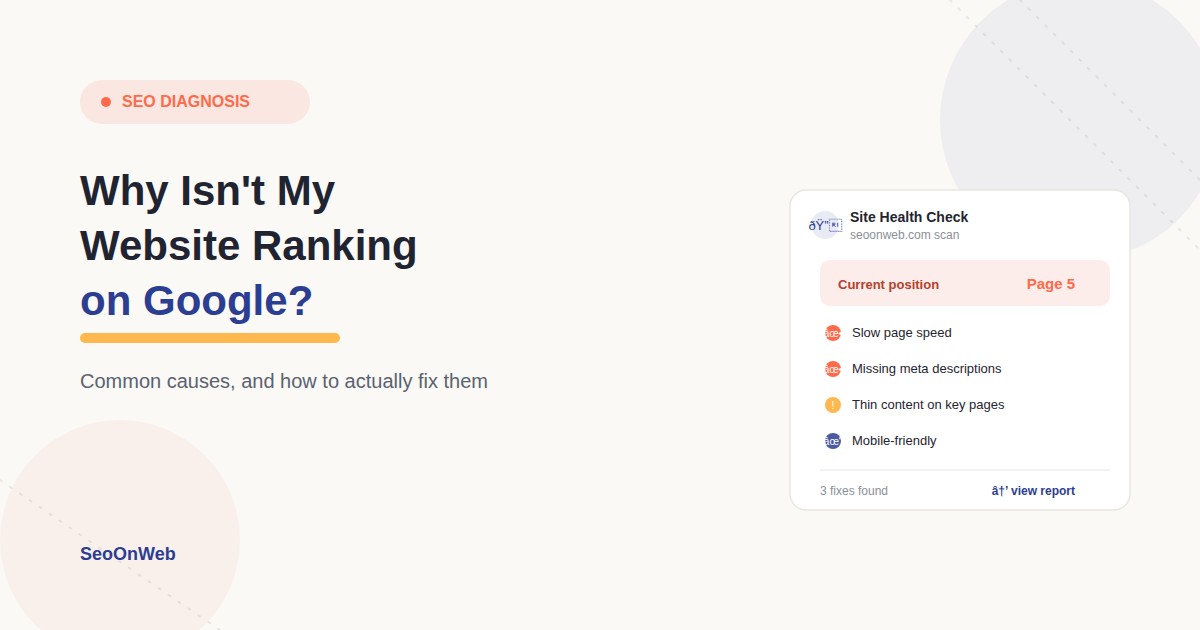
Table of contents
- 01Indexing & Crawlability: Does Google Even Know Your Site Exists?
- 02Technical SEO Problems That Quietly Sabotage Your Rankings
- 03Content Quality & On-Page SEO: Where Most "SEO Not Working" Complaints Actually Start
- 04Keyword Strategy & Competition: Are You Fighting the Wrong Battle?
- 05Backlinks & Authority: The Part Nobody Wants to Hear
- 06Penalties & Algorithm Updates: When Something You Didn't Expect Hits
- 07Local SEO & Google Business Profile
- 08SEO Audit & Recommended Tools
- 09Common SEO Mistakes to Avoid
- 10Final Thoughts
- 11Frequently Asked Questions
You built the website. You wrote the content. You even sprinkled in a few keywords because someone once told you that's "how SEO works." And yet — nothing. No traffic, no new leads, not even a small bump in Google Search Console.
If you've typed "why isn't my website ranking on Google" into a search bar at 11pm while refreshing your analytics for the fifth time, take a breath. You're not alone, and you almost certainly haven't done anything catastrophically wrong. In our experience working with dozens of small business sites, this problem is rarely one single mistake — it's usually two or three smaller issues quietly stacking up in the background until they add up to invisibility.
So let's slow down and walk through this properly, the way we'd explain it to a client sitting across the table from us. No jargon dumps, no "just do SEO better" hand-waving. By the end, you'll understand exactly why your site isn't showing up, and you'll have a real checklist for fixing it — whether the issue is technical, content-related, or something with your backlinks.
Here's the honest truth first: ranking isn't just about stuffing a page with keywords and hoping for the best. Google evaluates technical health, content quality, how well you match what people are actually searching for, and how much authority your domain has earned over time.
Those four things map almost exactly onto on-page, technical, and off-page SEO — which is worth understanding as a framework before you start troubleshooting line by line. Miss even one of those, and you can end up with a site that's technically "doing SEO" while still sitting invisible on page seven.
Let's break down each piece one at a time — starting with the most overlooked one.
Indexing & Crawlability: Does Google Even Know Your Site Exists?
Before we get into ranking factors, we need to answer something more basic: is your website actually in Google's index at all? This is the step almost everyone skips — and it's often the real answer to why is my site not showing up on Google.
Here's a two-minute test. Type site:yourdomain.com directly into Google's search bar. If your pages appear, good — Google knows you exist. If nothing comes back, Google genuinely has no record of your site, and no amount of brilliant content will help until that's resolved.
A few things worth checking right away:
Google Search Console — This free tool shows exactly which pages are indexed and flags any errors preventing others from being crawled. If you haven't set this up yet, this is truly step one, before anything else on this list.
Robots.txt and noindex tags — This trips up more people than you'd think. A stray noindex tag or a leftover disallow rule in your robots.txt — often forgotten from when a site was still in staging mode — can quietly block Google from ever crawling your pages.
Sitemap submission — Make sure Google actually has your current sitemap. It's a small step that helps crawlers discover new content faster instead of stumbling onto it eventually, sometimes months later.
Crawl errors — Broken links, 404s, server timeouts, and faulty redirects all confuse Google's crawler and can cause it to deprioritize crawling your site altogether.
If your site isn't properly indexed, this alone explains why it feels like your SEO work is going nowhere. You simply can't rank for something Google hasn't seen yet.
Technical SEO Problems That Quietly Sabotage Your Rankings
Assuming Google can see your site, the next question is whether your site is actually pleasant to use — for Google's crawlers and for real human visitors.
Page speed matters more than most people realize. If your pages take more than a couple of seconds to load, visitors bounce, and Google absolutely notices that pattern. Run your site through PageSpeed Insights or GTmetrix and you'll usually find the same culprits: oversized images, unoptimized scripts, or render-blocking code.
Mobile-friendliness isn't a nice-to-have anymore — Google indexes the mobile version of your site first, not the desktop one. If your buttons are too small to tap, your text overflows the screen, or your layout breaks on a phone, you're working against yourself before a visitor even reads a word.
Broken links and server errors are another quiet killer. Every time Google's crawler hits a dead end on your site, it trusts your site a little less — and crawls it a little less often afterward. A free tool like Screaming Frog will surface these issues quickly so you're not hunting for them manually.
HTTPS is a smaller ranking factor these days, but it's still worth confirming your SSL certificate is valid and that no resources on your site are loading over an insecure connection.
Metadata and structured data round this section out. Missing or duplicate title tags and meta descriptions don't just hurt rankings directly — they hurt your click-through rate, which quietly tells Google that searchers aren't interested in your result even when it does appear.
Adding relevant schema markup (Article, Product, FAQ — whatever fits) helps Google, and increasingly AI search tools like ChatGPT, Gemini, and Perplexity, understand your content with far more precision.
Content Quality & On-Page SEO: Where Most "SEO Not Working" Complaints Actually Start
This is genuinely where the bulk of SEO not working complaints come from. Not technical failures — content that technically exists, but doesn't actually serve the person who searched for it.
Match the search intent. If someone searches "how to fix a leaky faucet," they want clear, actionable steps — not three paragraphs on the history of plumbing before you get to the point. Look honestly at what's currently ranking for your target keyword and ask: does my page genuinely do a better job answering this than what's already there?
Avoid thin or duplicate content. Pages that repeat what's already said elsewhere on your own site — or worse, content lifted from somewhere else — confuse Google and dilute whatever authority your site has built. If a page doesn't add real, original value, either strengthen it substantially or remove it entirely. For pages that used to perform and have since slipped, a proper content refresh is usually a faster fix than starting over.
Nail the on-page basics. Every page needs a unique, keyword-relevant title tag and meta description. Use a sensible heading hierarchy — one H1, organized H2s with H3s nested underneath where needed.
Work your target keyword in naturally, not stuffed into every second sentence. Add descriptive alt text to every image, not just for accessibility but because it genuinely helps search engines understand what's on the page.
Structure for real humans, not robots. Short paragraphs. Bullet points where they genuinely help comprehension. Clear, descriptive subheadings. A table of contents for longer guides. People skim before they commit to reading, and in its own way, so does Google — and so do AI models summarizing your content for a chat response. Content that's easy to scan consistently outperforms a dense wall of text, even when the underlying information is identical.
Related post: Top 8 SEO Tips for Beginners in 2026
Great SEO isn't about tricks — it's about being genuinely useful, and making sure Google can tell.
Keyword Strategy & Competition: Are You Fighting the Wrong Battle?
Sometimes your content is genuinely fine — the keyword choice is what's holding you back.
If you're a smaller or newer site trying to rank for something broad and brutally competitive (think "seo" or "pizza"), you're up against sites with years of accumulated authority and thousands of backlinks. That's not a fight you'll win quickly, no matter how polished your page is.
The practical fix is usually to get more specific. Instead of chasing "SEO tools," try "SEO tools for small businesses" or "best free SEO tools for beginners in 2026." Long-tail, more specific phrases are far more winnable — and they often convert better anyway, because the searcher's intent is much clearer.
If you run a local business, don't hesitate to add geographic modifiers either. "Best dentist in Lucknow" is a far fairer fight than a bare "best dentist" ever will be.
And if a competitor with objectively weaker content still outranks you, it's worth actually digging into their site. Nine times out of ten, it comes down to backlinks, domain authority, or stronger technical optimization — not luck, and not some secret trick you're missing.
Backlinks & Authority: The Part Nobody Wants to Hear
This is the uncomfortable one. Backlinks remain one of the strongest ranking factors Google uses, and a huge share of no traffic despite SEO situations trace directly back to a site that simply hasn't earned outside trust yet.
If your site has few or no quality backlinks, even genuinely excellent content will struggle against competitors who've earned links from relevant, respected sources over time.
A few practical starting points:
Audit your current backlink profile using a tool like Ahrefs, Semrush, or Moz, and clean up anything spammy or irrelevant that could be quietly dragging your site down.
Focus on earning links naturally — guest posts, genuine partnerships, being useful enough that other sites want to reference you unprompted.
Don't neglect internal linking either. Make sure every important page on your site is linked from somewhere else internally. Pages with zero internal links pointing to them — often called "orphan pages" — tend to get ignored by Google almost entirely, no matter how good the content is.
Penalties & Algorithm Updates: When Something You Didn't Expect Hits
Sometimes it's not that your SEO was never working — it's that something changed underneath you.
Check the Manual Actions report in Google Search Console first. If Google has flagged your site for something like thin content or spammy links, it'll appear there, along with exactly what needs fixing before you can request a review.
If there's nothing under Manual Actions but your traffic still dropped noticeably, check whether the timing lines up with a known Google algorithm update. You can line up the timing against a known Google update using our 2026 update timeline, rather than guessing. These updates periodically shift what Google rewards — sometimes content quality, sometimes Core Web Vitals, sometimes link spam — and a sudden drop right after one is usually a strong clue.
Keeping a regular eye on Search Console, Analytics, and whatever rank-tracking tool you use will help you catch these shifts early, rather than discovering the damage three months later.
Consistency beats cleverness. Publish, measure, refine, repeat — that's the whole game.
Local SEO & Google Business Profile
If you're running a local business, none of the above matters much until your Google Business Profile is properly sorted.
Claim and verify it if you haven't already — Google is explicit that verified businesses are significantly more likely to appear in local search results. From there, make sure your business name, address, phone number, hours, and category are complete and consistent everywhere they appear online. Inconsistent details — say, a different phone number on your website versus your Google listing — genuinely confuse Google's local ranking system.
Beyond that, actively encourage and respond to reviews, and keep your profile active with fresh photos and posts. For the complete setup, our full local SEO checklist covers citations, reviews, and schema step by step. Well-maintained, active profiles consistently earn more visibility in Maps and local search results.
SEO Audit & Recommended Tools
By now you've probably realized that diagnosing why isn't my website ranking on Google usually means working through a checklist systematically rather than guessing at a single cause. Here's a simple toolkit to help:
Free tools:
Google Search Console — indexing status, crawl errors, manual actions
Google Analytics 4 — traffic sources and user behavior
Bing Webmaster Tools — a useful second data source beyond Google
PageSpeed Insights — site speed diagnostics
Screaming Frog (free tier) — broken links, duplicate titles, thin content
Paid tools (worth it once you're serious about growth):
Ahrefs, Semrush, or Moz — backlink analysis, keyword research, rank tracking
Surfer SEO or Clearscope — on-page content optimization
GTmetrix — deeper performance diagnostics
Once you've made changes, set up rank tracking for your target keywords and check back into Search Console regularly. SEO fixes rarely show results overnight, so consistent monitoring is really what tells you whether you're actually moving in the right direction — or just standing still.
Common SEO Mistakes to Avoid
A quick recap of the mistakes that come up again and again in our audits:
Accidentally blocking Google with a stray noindex tag or a robots.txt rule
Ignoring mobile optimization or letting page speed quietly slide
Stuffing keywords instead of genuinely matching search intent
Publishing thin or duplicate content that adds no real value
Skipping on-page basics like unique titles and meta descriptions
Expecting to rank with zero backlinks, no matter how strong the content is
Final Thoughts
If there's one takeaway from all this, it's that ranking well is rarely about one big fix — it's about clearing several small blockers that are quietly working against you all at once. Get properly indexed, keep the technical side healthy, write content that genuinely answers what people are searching for, and earn real authority over time.
SEO results take a while to show up, especially for newer sites, so patience matters just as much as technique here. But once you've actually diagnosed what's specifically holding your site back — instead of just guessing — you can start climbing the results instead of quietly sitting on page seven, wondering why isn't your website ranking on Google despite everything you've tried.
Frequently Asked Questions
Why is my website not showing up on Google at all?
How long does it take for a new website to start ranking?
Does Google know my website exists if I never submitted it?
Can a robots.txt file block my site from ranking?
Why did my rankings drop suddenly after a Google update?
Does site speed really affect SEO rankings?
Why does my competitor rank higher with worse content?
Is my website not ranking because of duplicate content?
How many keywords should one blog post target?
Do I need backlinks to rank on Google in 2026?
Can a new domain ever outrank an older, established website?
Why does my business not show up on Google Maps or local search?
More from the blog
All posts
Google Algorithm Update 2026: Key Changes & Recovery Tips
Discover what changed in the Google algorithm update 2026 and how to recover rankings after a drop. Core updates, spam updates, and a practical SEO recovery checklist.
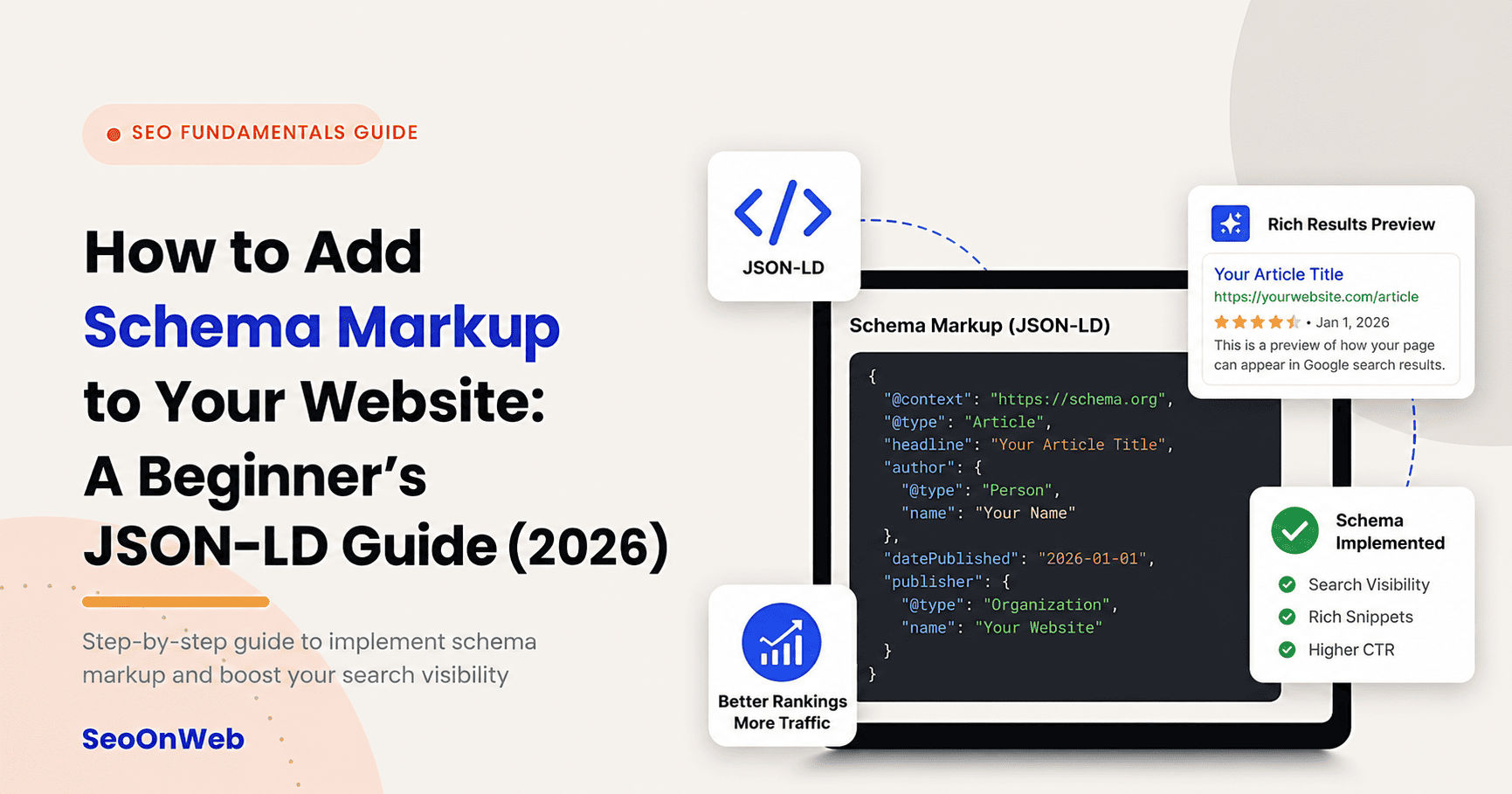
How to Add Schema Markup to Your Website: A Beginner's JSON-LD Guide (2026)
Learn how to add schema markup to your website with this beginner-friendly JSON-LD guide — includes WordPress steps, testing tools, and real examples.
Top 8 SEO Tips for Beginners in 2026
Learn the top 8 SEO tips for beginners in 2026. Discover keyword research, on-page SEO, technical SEO, AI search optimization, and proven strategies to rank higher on Google.
Let's talk
Ready to grow with SEO that actually works?
Book a free 30-minute strategy call and we'll walk through your site, your goals, and the shortest path to real results.

Written by
Deepak Sengar
SEO Expert · Founder, SeoOnWeb
Deepak Sengar is an SEO specialist with 3+ years of experience across on-page SEO, technical SEO, AI Search Optimization (AIO), Answer Engine Optimization (AEO), Generative Engine Optimization (GEO), keyword research, and content optimization. He holds a Bachelor of Business Administration (BBA) from Bundelkhand University. He most recently worked as an SEO Executive at College Drishti, a Delhi-based education consultancy, from July 2025 to May 2026, where he led SEO strategy to grow organic visibility and traffic for undergraduate (UG) and postgraduate (PG) admissions content. Today, through SeoOnWeb, he helps businesses build ranking strategies rooted in the same on-page, technical, and off-page fundamentals.
More about Deepak