
Deepak Sengar · Published 2 August 2026· 15 min read
How to Add Schema Markup to Your Website: A Beginner's JSON-LD Guide (2026)
Learn how to add schema markup to your website with this beginner-friendly JSON-LD guide — includes WordPress steps, testing tools, and real examples.
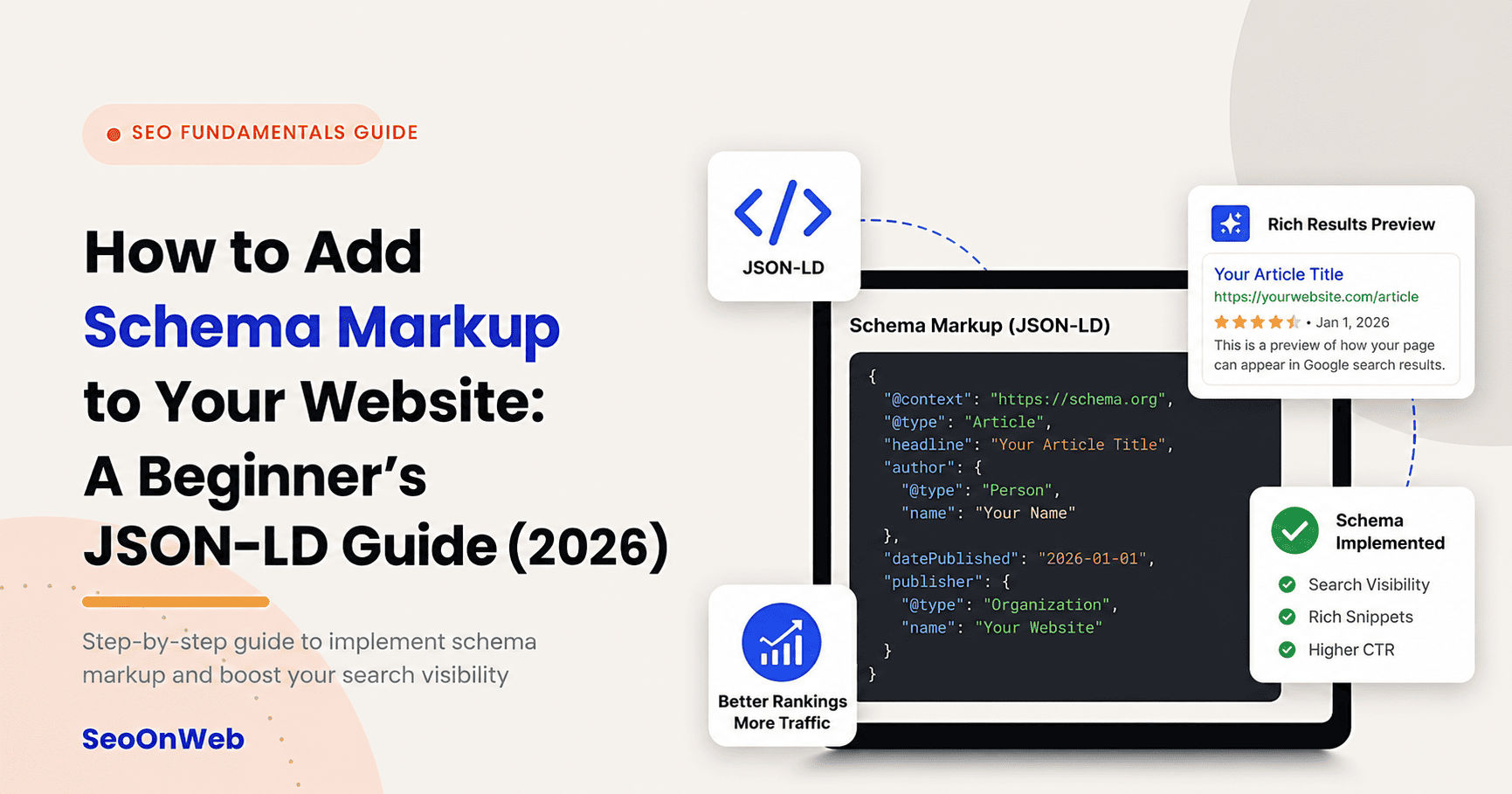
Table of contents
- 01What Is Schema Markup? (JSON-LD Explained for Beginners)
- 02Why Schema Markup Matters for SEO and AI Search in 2026
- 03Types of Schema Markup You Should Know
- 04How Schema Markup Works (Behind the Scenes)
- 05How to Add JSON-LD Schema Markup: Step-by-Step Guide
- 06How to Add Schema Markup in WordPress
- 07How to Test Schema Markup (Validation and Rich Results)
- 08Schema Markup Checklist for Beginners
- 09JSON-LD vs. Microdata vs. RDFa: Full Comparison
- 10Common Mistakes When Adding Schema Markup
- 11Best Practices for Schema Markup in 2026
- 12Expert Tips for Schema Markup Success
- 13Tools & Resources for Schema Markup
- 14Does Schema Markup Directly Improve Google Rankings?
- 15Schema Markup and AI Search Engines (ChatGPT, Gemini, Perplexity, AI Overviews)
- 16Real-World Example: Schema Markup Before and After
- 17Latest Trends in Schema Markup (2026)
- 18Future Outlook: Schema Markup Beyond 2026
- 19Final Thoughts
- 20Frequently Asked Questions
If you've spent any time reading about SEO lately, "schema markup" has probably crossed your path more than once — usually right next to "structured data," dropped in like everyone already knows what it means. If you've been nodding along while secretly having no clue what the code looks like or where it even goes, don't worry. You're not alone. Most beginners hit this exact wall.
That's what this guide is for. It's written for people just starting to research the topic, so instead of jargon, you're getting plain-language explanations and a process you can actually follow today. And honestly, that matters more now than it used to. Rich results, Google's AI Overviews, and AI assistants like ChatGPT, Gemini, and Perplexity all lean on structured data to figure out what your content actually says — and whether it's worth citing.
By the end of this, you'll know what schema markup for beginners really means, why JSON-LD is the format almost everyone recommends, and how to add it — with code, and without it. There's a dedicated WordPress path too, plus a way to check whether your schema is actually doing its job. One thing worth saying upfront: schema markup won't magically boost your rankings on its own. What it does do is make you eligible for rich results and a lot easier for AI systems to understand. That's still worth a lot.
What Is Schema Markup? (JSON-LD Explained for Beginners)
Here's the simple version: schema markup is code you add to a webpage's HTML that labels your content so search engines and AI tools know exactly what it is — a recipe, a product, an FAQ, a local business, whatever. Instead of a crawler guessing that a chunk of text might be a review based on context clues, schema markup just tells it directly. This is a review. Here's the rating. Here's who wrote it.
"Structured data" is the bigger, more technical umbrella term for this whole idea. "Schema markup" is what people actually call it day to day. You'll see both used pretty interchangeably throughout this article — that's on purpose, because that's how the industry talks about it in real life.
The shared vocabulary behind all of this is schema.org, a joint project backed by Google, Microsoft, Yahoo, and Yandex. It defines the standardized "types" (Product, FAQPage, and so on) and "properties" (price, datePublished) that search engines have all agreed to recognize. Without something like this, every search engine would read structured data differently, and none of it would be worth much.
Google's recommended way to build all of this out is JSON-LD, which we'll get into next.
JSON-LD vs. Microdata vs. RDFa (Quick Overview)
There are three main formats for schema markup, and beginners tend to get stuck trying to pick one.
JSON-LD is a block of code written in JavaScript Object Notation, placed in its own separate <script> tag. It doesn't touch your visible HTML at all.
Microdata embeds schema attributes right inside your existing HTML tags, mixing markup and content together.
RDFa is similar to Microdata — also inline — but with a more complex attribute syntax originally built for broader web semantics.
JSON-LD is the easiest one for beginners, and honestly for most experienced developers too, for one simple reason: it lives in its own script block, completely separate from the HTML controlling how your page actually looks. You can add, edit, or delete it without any risk of breaking your layout — which is a real concern with the other two. We'll come back to a full side-by-side comparison later in this article, including how each format holds up with content updates and multi-editor teams.
Why Schema Markup Matters for SEO and AI Search in 2026
Search engines read text well. But they're not mind readers. Schema is one piece of a broader technical SEO checklist — worth a look if you haven't covered the rest of the technical basics yet. Schema markup closes that gap by flat-out telling Google and Bing what a piece of content is, instead of leaving it to inference. That's the difference between a search engine guessing your page is about a recipe and a search engine knowing, with certainty, that it's a recipe — complete with prep time, ingredients, and ratings.
That clarity feeds straight into rich results — the enhanced search listings with star ratings, FAQ dropdowns, breadcrumbs, or product prices that stand out from a page of plain blue links. It's also become a bigger deal for Google's AI Overviews and generative engines like ChatGPT, Gemini, and Perplexity, all of which need cleanly labeled data to cite a source accurately instead of loosely paraphrasing unstructured text.
There's an entity recognition piece here too. Structured data helps search engines connect your brand, your author, and your topics to their broader Knowledge Graph, which reinforces topical authority signals over time.
Benefits of Adding Schema Markup
Rich results and rich snippets eligibility — star ratings, FAQ dropdowns, breadcrumbs, and product pricing can show up right in the search results.
Better click-through rate — a visually prominent listing usually pulls more clicks than the plain text sitting next to it.
Better odds of AI citation — generative engines tend to favor clearly labeled data when they're building an answer.
Voice search support — unambiguous, structured data is just easier for voice assistants to parse and read out loud.
A real competitive edge — a surprising number of small and mid-sized sites still skip schema entirely. That leaves an opening for the ones that don't.
Types of Schema Markup You Should Know
Schema.org's full vocabulary is huge. You don't need to learn all of it — not even close. Most websites only ever need a handful of types, and knowing those few covers the vast majority of real situations.
Most Common Schema Types for Websites
Article / BlogPosting — for blog posts and news-style content
Product — for e-commerce listings, including price and availability
FAQPage — for question-and-answer content, often the source of FAQ dropdowns
HowTo — for sequential, step-based instructions
LocalBusiness / Organization — for company details, hours, and contact info
BreadcrumbList — for site navigation hierarchy
Review / AggregateRating — for star ratings and customer feedback
Person — for author bios and individual profiles
Event — for dates, locations, and ticketing details
Which Schema Types Should You Add First? (Priority Guide)
If you're starting from zero, don't try to mark up everything at once — that's a fast way to burn out on this. A solid starting point for almost any site is Organization schema paired with BreadcrumbList. Together they form a site-wide foundation that helps search engines understand who you are and how your site is structured, no matter what kind of content you publish.
From there, prioritize based on what your site actually does:
Running a blog? Add Article schema to your posts first.
Selling products? Product schema should be next, since it directly affects how your listings show up in shopping-related search results.
Running a local service business? LocalBusiness schema takes priority — it's what powers map packs and local search visibility. We go deeper into LocalBusiness schema specifically, along with the rest of the local ranking checklist, in a dedicated guide.
Great SEO isn't about tricks — it's about being genuinely useful, and making sure Google can tell.
How Schema Markup Works (Behind the Scenes)
When a search engine crawler indexes your page, it reads through the HTML like it always has. But now it also picks up the JSON-LD block sitting in the code. That structured data gets parsed on its own and folded into the search engine's understanding of the page — often connecting directly to Google's Knowledge Graph, the system that links entities (people, places, organizations, products) together across the web.
Worth repeating something from earlier: schema markup is not, by itself, a confirmed ranking factor. Google has said this pretty consistently. What it is, is a comprehension and eligibility layer — it helps search engines understand your content more precisely, and it determines whether you're even in the running for certain rich result formats. Keep that distinction in mind. It'll make more sense of a couple of FAQs later in this guide.
How to Add JSON-LD Schema Markup: Step-by-Step Guide
Okay, here's the part you actually came here for — a practical walkthrough for how to add schema markup, using JSON-LD, the format we've already established as the easiest and most widely recommended.
Step 1 — Choose the Right Schema Type for Your Page
Before writing a single line of code, match your content to the right schema.org type. A recipe post needs Recipe schema, not Article schema. A service page for a local plumber needs LocalBusiness, not Organization on its own. Once you've picked a type, check its schema.org documentation for two things: required properties (your markup won't validate cleanly without these) and recommended properties (optional, but they strengthen your shot at rich results).
Step 2 — Generate Your JSON-LD Code
You've basically got two paths here. Write the JSON-LD manually using a template for your chosen schema type, filling in properties like name, description, url, and image yourself. Or, if hand-coding isn't your thing, a free schema generator tool will build the block for you — fill in a form, copy the output, done. Either way, double-check every required property for your type is actually there before moving on.
Step 3 — Where to Place JSON-LD Code on Your Website
This one trips up a lot of people, so let's be specific. JSON-LD usually goes inside the <head> section of your HTML, though Google also accepts it just before the closing </body> tag if that's easier for your setup. The real decision is scope: page-specific schema (like Article schema on a single blog post) should only live on that page. Site-wide schema (like Organization schema) usually gets added once, across every page, often through your site's global header or footer template.
Step 4 — Adding Schema Markup Without Coding
If you'd rather not touch code, you're not stuck. SEO plugins can generate schema automatically based on your page content. Website builders like Wix, Squarespace, and Shopify all have their own apps or built-in settings for adding structured data with zero coding. And if you used a schema generator tool in Step 2, that copy-paste method is effectively a no-code path anyway — you're pasting a ready-made block into a plugin field or a designated code area, not writing anything from scratch.
Step 5 — Validate and Test Your New Schema
Once your schema's live, don't just assume it's fine because nothing looks broken on the page. Run it through a validation tool to catch missing properties or formatting errors before they cause real problems. We'll walk through exactly how in the testing section coming up next.
How to Add Schema Markup in WordPress
WordPress runs a massive share of the web, so it gets its own section here. There are three realistic paths, depending on how comfortable you are with code and what your current setup already supports.
Using an SEO Plugin (Rank Math or Yoast) to Add Schema
For most WordPress users, the simplest route is a built-in schema generator inside an SEO plugin like Rank Math or Yoast SEO. Both let you pick a schema type per page or post — Article, Product, FAQ, take your pick — right from the editing panel. Once you've selected one, the plugin auto-generates the underlying JSON-LD based on your content and the fields you fill in. Most also let you tweak specific schema fields manually if the auto-generated version isn't quite right.
Adding Custom JSON-LD Manually in WordPress
Sometimes a plugin's built-in schema options just don't cover what you need — Event schema with unusual ticketing details, say, or some less common type your plugin doesn't support at all. That's when a code snippet plugin comes in handy, letting you insert custom JSON-LD without touching your theme's core files. Or, plenty of themes have a header or footer settings area where you can paste code site-wide. Manual JSON-LD becomes necessary specifically when your plugin's options fall short of what your content actually needs.
Schema Markup with Page Builders (Elementor, Divi, etc.)
If you're building pages with Elementor, Divi, or something similar, schema settings often live in a completely different place than your SEO plugin — sometimes buried in the builder's own SEO or advanced settings panel. This is a common source of duplicate schema: your plugin generates one block, your page builder generates another, and now the same page has two competing (or flatly contradicting) sets of structured data. Check both tools. Don't assume schema is only coming from one place.
Consistency beats cleverness. Publish, measure, refine, repeat — that's the whole game.
How to Test Schema Markup (Validation and Rich Results)
Adding schema markup is only half the job. Testing it is what actually confirms it's working the way you think it is.
Step-by-Step: Testing With Google's Rich Results Test
Google's Rich Results Test lets you check your work two ways: submit a live URL, or paste your JSON-LD code directly for a quick check before it's even live. Run the test, and you'll see a breakdown of eligible rich result items detected on the page, plus any warnings (non-critical, but worth fixing) or errors (these will block rich results from appearing at all).
Common Validation Errors and How to Fix Them
Missing required fields — go back to the schema.org documentation for your type and fill in whatever's marked required.
Incorrect data types — a price formatted as text instead of a number, for instance, will often fail validation.
Duplicate schema blocks — usually the result of a plugin and manual code both generating markup for the same page (see the page builder note above).
Mismatched content — your schema claims a 4.8-star rating, but there's no visible rating anywhere on the actual page. Google explicitly discourages this, and it can get your rich results suppressed.
Why Isn't My Schema Showing Rich Results Even Though It Validates?
This one causes a lot of confusion, so let's be direct about it: valid schema does not guarantee a rich result will actually show up in search. Google keeps full discretion over rich result eligibility, and that decision often factors in content quality and E-E-A-T signals well beyond whether your markup is technically correct. Passing validation is necessary. It's just not sufficient on its own.
Schema Markup Checklist for Beginners
Use this as a quick reference to keep yourself on track:
Choose the correct schema.org type for your content
Confirm required and recommended properties for that type
Generate your JSON-LD code (manually or with a generator tool)
Place it correctly — in the <head>, or just before </body>
Decide scope: page-specific vs. site-wide
Validate using Google's Rich Results Test
Fix any errors or warnings
Monitor ongoing performance through Search Console
JSON-LD vs. Microdata vs. RDFa: Full Comparison
Feature | JSON-LD | Microdata | RDFa |
Format | Separate <script> block | Inline HTML attributes | Inline HTML attributes |
Ease for Beginners | Easiest | Moderate | Hardest |
Google's Recommendation | Preferred | Supported | Supported |
Editing Without Breaking Layout | Yes | Risky | Risky |
Common Use Case | Most modern websites, CMS platforms | Legacy implementations | Publishing/media sites |
Common Mistakes When Adding Schema Markup
Using the wrong schema type for the content on the page
Marking up content that isn't actually visible to visitors — this is a direct violation of Google's guidelines
Leaving out required properties for the chosen schema type
Running duplicate or conflicting schema from a plugin and manual code at the same time
Forgetting to re-test after a site or theme update, which can silently break markup that used to work fine
Assuming valid schema automatically means rich results will appear
Ignoring updates or deprecations published by schema.org or Google over time
Best Practices for Schema Markup in 2026
Keep your schema in sync with the visible on-page content, always — don't mark up something the page doesn't actually show
Default to JSON-LD for any new implementation going forward
Start with site-wide schema (Organization, BreadcrumbList) before layering in page-specific types
Validate after every major site change, not just at initial launch
Combine schema types thoughtfully. Don't overload a single page with markup it doesn't need.
Expert Tips for Schema Markup Success
Treat schema as ongoing maintenance, not a one-and-done setup step
Prioritize schema types tied directly to business goals — Product schema on revenue pages matters more than marking up every page you own just because you can
Use Google Search Console's Enhancements reports to catch schema errors at scale, across your whole site
Document which schema lives where — plugin-generated vs. manually added — so future edits don't create duplication down the line
Pair schema markup with genuinely strong content. Rich results still favor pages that actually satisfy the search query well.
Tools & Resources for Schema Markup
Tool Category | Free Tools | Paid/Advanced Tools |
Schema Generation | Google's Structured Data Markup Helper, Merkle Schema Markup Generator | Schema App, WordLift |
Validation/Testing | Google Rich Results Test, Schema.org Validator | Screaming Frog (schema extraction at scale) |
WordPress Implementation | Rank Math (free tier), Yoast SEO (free tier) | Rank Math Pro, Schema Pro |
Monitoring | Google Search Console (Enhancements reports) | Ahrefs, Semrush (site audit modules) |
Does Schema Markup Directly Improve Google Rankings?
Short answer: no. Schema markup is not a confirmed direct ranking factor. What it provides is a comprehension and eligibility layer — it helps search engines understand your content more precisely and determines whether you qualify for certain rich result formats. The ranking benefit is indirect, but it's still real: rich results tend to pull a higher click-through rate, clearer entity signals can reinforce topical authority over time, and well-labeled content is more likely to get surfaced or cited by AI systems. Schema won't replace strong content and solid technical SEO. It works alongside them, not instead of them.
Schema Markup and AI Search Engines (ChatGPT, Gemini, Perplexity, AI Overviews)
If anything, structured data matters more in an AI-driven search world, not less. Generative engines like ChatGPT, Gemini, and Perplexity — along with Google's own AI Overviews — need to pull accurate facts fast when they're constructing an answer. Clearly labeled data gives them exactly that: a price is unambiguously a price, an author is unambiguously an author, a step in a process is unambiguously step three of five.
Without that labeling, these systems are left guessing from unstructured text. For the fuller picture of how AI systems use structured data to decide what to cite, including the non-schema factors that matter too, see our AI search optimization guide. That raises the odds of inaccuracy, or worse, of your content just getting skipped in favor of a source that made its structure explicit.
Real-World Example: Schema Markup Before and After
Take a mid-sized e-commerce site that previously had zero structured data. After adding FAQPage schema to its product support pages and Product schema to its listings, the site started showing up with star ratings and FAQ dropdowns in search results within a few weeks of Google re-indexing. Worth flagging: this kind of outcome is illustrative, not guaranteed. As covered earlier, Google keeps full discretion over whether rich results actually display, even when the schema itself validates cleanly.
Latest Trends in Schema Markup (2026)
Growing emphasis on structured data specifically to support AI Overviews and generative search engines
Continued expansion of the schema.org vocabulary to cover newer content types as they show up
Rising interest in complementary practices like llms.txt alongside traditional schema markup
Tighter enforcement from Google around rich result eligibility and spam policies targeting misleading or manipulative markup
Future Outlook: Schema Markup Beyond 2026
Structured data is starting to look like a baseline expectation for a well-built website, not some advanced, optional tactic anymore. Expect deeper convergence between schema markup and broader entity-based SEO strategies, plus more automated schema generation built directly into CMS platforms — which should cut down the manual work even further for non-technical site owners.
Final Thoughts
Schema markup is a foundational, learnable skill. It's not something reserved for developers, whatever it might look like from the outside. Once you understand the basic building blocks covered here, adding schema markup correctly becomes one of the more approachable technical SEO wins available to beginners, especially compared to the more complicated corners of technical SEO. Start small: pick one schema type, apply it to one page, test it, confirm it works. Then expand from there — page by page, type by type — until structured data just becomes a normal part of how you publish.
Frequently Asked Questions
What is JSON-LD schema markup?
How do I add schema markup to my website without coding?
How do I add schema markup in WordPress?
What's the difference between JSON-LD, Microdata, and RDFa?
Where do I place JSON-LD code on my website?
How do I test if my schema markup is working?
Why isn't my schema showing rich results even though it validates?
Which schema types should I add first?
Does schema markup directly improve Google rankings?
Can I add multiple schema types to one page?
Do I need schema markup for AI search engines like ChatGPT and Gemini?
Is Google's Structured Data Markup Helper still the best free tool in 2026?
More from the blog
All posts
How to Do Keyword Research for Free in 2026 (No Paid Tools Needed)
Discover the best free keyword research tools and methods for 2026. No paid subscriptions needed — just proven, beginner-friendly steps.
Why Isn't My Website Ranking on Google? Common Causes & Fixes
Wondering why isn't my website ranking on Google? Discover the real reasons — indexing, content, links — and practical fixes that actually work.

How to Show Up in ChatGPT Results: Complete AI Search Optimization Guide (2026)
Learn how to make your website appear in ChatGPT results with proven AI Search Optimization (AEO) strategies. Improve visibility, authority, and AI citations in 2026.
Let's talk
Ready to grow with SEO that actually works?
Book a free 30-minute strategy call and we'll walk through your site, your goals, and the shortest path to real results.

Written by
Deepak Sengar
SEO Expert · Founder, SeoOnWeb
Deepak Sengar is an SEO specialist with 3+ years of experience across on-page SEO, technical SEO, AI Search Optimization (AIO), Answer Engine Optimization (AEO), Generative Engine Optimization (GEO), keyword research, and content optimization. He holds a Bachelor of Business Administration (BBA) from Bundelkhand University. He most recently worked as an SEO Executive at College Drishti, a Delhi-based education consultancy, from July 2025 to May 2026, where he led SEO strategy to grow organic visibility and traffic for undergraduate (UG) and postgraduate (PG) admissions content. Today, through SeoOnWeb, he helps businesses build ranking strategies rooted in the same on-page, technical, and off-page fundamentals.
More about Deepak